
In a world where one can buy just about anything on the web, “online shopping” is basically synonymous with “shopping” — minus the whole rigmarole of leaving the house, hitting the stores, and carting your purchases back home.
Despite online retail’s explosive growth of late, the universe of credit cards best suited to online shopping remains distinct from the universe of credit cards best suited to brick-and-mortar retail.
Sure, some overlap exists, including among the cards on this list, but certain credit cards really shine in cyberspace.
Best Credit Cards for Online Shopping
The best credit cards for online shopping include a mix of retailer-specific cards and cash-back credit cards with flexible rewards programs that translate well to digital reality. Some also have enticing 0% APR promotions.
Many excel on popular retail holidays, making our lists of the best credit cards to use on Amazon Prime Day and Black Friday or Cyber Monday.
If there’s a great deal of online shopping in your future, these credit cards can help you make the most of your spending dollars.
Blue Cash Everyday® Card From American Express
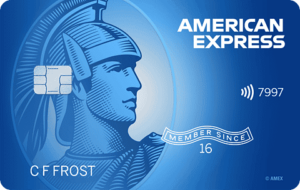
The Blue Cash Everyday® Card from American Express has the most generous rewards category dedicated exclusively to U.S. online retail purchases. It earns 3% cash back on all such transactions, up to $6,000 each year.
As an added bonus, Blue Cash Everyday comes with a complimentary ShopRunner membership, good for free two-day shipping from over 100 participating merchants.
- Welcome Offer: Earn a $200 statement credit after you spend $2,000 in purchases on your new card within the first 6 months.
- Earning Rewards: Earn 3% cash back on U.S. online retail purchases, U.S. supermarket purchases, and U.S. gas station purchases, up to $6,000 spent per year in each category (then 1%). Earn 1% cash back on all other purchases. Cash back accrues as Reward Dollars redeemable for statement credits.
- Redeeming Rewards: Redeem for statement credits at Amazon.com checkout starting at $25.
- Introductory APR: 0% APR on purchases and balance transfers for 15 months, then variable regular APR applies (currently 19.24% - 29.99%).
- Annual Fee: $0
Pros
- No annual fee
- Relatively long intro purchase and balance transfer offer
- Higher-than-average welcome offer
- Bonus rewards on three types of everyday spending
Cons
- Below-average baseline cash-back rate
- 2.7% foreign transaction fee
Terms apply. See rates and fees.
Bank of America® Customized Cash Rewards Credit Card
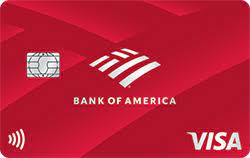
The Bank of America® Customized Cash Rewards Credit Card lets you customize your 3% cash-back category. One of the options is — you guessed it — online shopping.
You can theoretically earn 3% back on up to $10,000 in online purchases each year with this card. But the 3% tier shares the $2,500 quarterly spending cap with the two 2% categories: grocery stores and warehouse clubs. If you have a dedicated warehouse store or grocery credit card, that’s no problem. But if you spend $10,000 or more per year online, you’ll leave money on the table if you also use this card at the grocery store or warehouse club.
- Sign-up Bonus: Earn a $200 cash rewards bonus after making at least $1,000 in purchases in the first 90 days of account opening.
- Earning Rewards: Earn 3% cash back on purchases in the category of your choice, one of which is online shopping. Earn 2% cash back at grocery stores and wholesale clubs, up to $2,500 per quarter in combined 3% and 2% category purchases. Earn 1% cash back on all other purchases.
- Redeeming Rewards: Redeem for statement credits or Bank of America bank account deposits in any amount. Other redemption options have a $25 minimum.
- Introductory APR: 0% introductory purchase and balance transfer APR for the first 18 statement closing days after opening your account, then variable regular APR applies. You must make qualifying balance transfers within 60 days of account opening.
- Annual Fee: $0
Pros
- No annual fee
- Above-average sign-up bonus
- Longer-than-average 0% intro APR offer
- Bank of America Preferred Rewards members earn up to 75% bonus cash back
Cons
- 2% categories may interfere with online shopping rewards
- Need to reselect your 3% category each month
Prime Visa Card
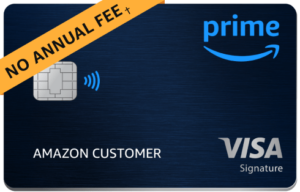
The Prime Visa Card handsomely rewards purchases made on Amazon.
If you’re willing and able to spend $139 per year for an Amazon Prime membership in addition to having this card, you earn 5% cash back on Amazon. You have to spend $2,780 to break even via earned rewards, but Prime membership has other benefits — including one- and two-day free shipping on millions of items.
- Sign-up Bonus: For a limited time, get a $100 Amazon gift card instantly upon approval. If you're not an Amazon Prime member, you'll still qualify for a $50 Amazon gift card at approval.
- Earning Rewards: Earn 5% cash back on eligible Amazon purchases and Whole Foods purchases with a valid Amazon Prime membership. Earn 2% cash back on purchases at restaurants and gas stations. Earn 1% back on all other eligible purchases.
- Bonus Rewards: Earn up to 10% bonus rewards on a rotating selection of Amazon.com merchandise.
- Redeeming Rewards: Redeem in any amount for cash back via statement credit, bank account deposit, or credit against Amazon purchases.
- Annual Fee: $139 for Amazon Prime membership
Pros
- 5% cash back on Whole Foods purchases
- Bonus cash back at restaurants and gas stations
- Above-average sign-up bonus
Cons
- Requires Amazon Prime membership (not ideal for occasional Amazon shoppers)
- Mediocre baseline cash-back rate
Citi® Double Cash Card
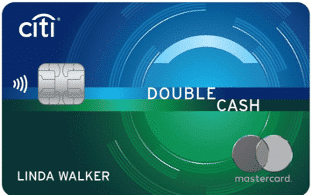
The Citi® Double Cash Card is the best online shopping credit card if you don’t want to deal with rewards tiers or rotating categories.
There are better options if you’re partial to specific online retailers, like Amazon, or if you prefer credit cards with additional shopping and travel perks.
- Sign-up Bonus: None
- Earning Rewards: Earn 1% cash back on all eligible purchases and 1% cash back on all balances paid by your statement due date. That’s 2% cash back when you pay your bill in full each month.
- Redeeming Rewards: The best way to redeem is for statement credits or direct deposit to a linked bank account, beginning at $25 in accrued rewards.
- Introductory APR: 0% introductory APR on balance transfers for 18 months from account opening, then variable regular APR applies (currently 18.99% to 28.99%). The purchase APR is 18.99% to 28.99% from day one.
- Annual Fee: $0
Pros
- Earn unlimited 2% cash back when you pay your bill in full each month (provided you make the minimum payment)
- Longer-than-average intro balance transfer offer
- No annual fee
Cons
- Cash-back earnings capped at 2% — no bonus categories or higher tiers
- No sign-up bonus for new cardholders
- Rewards expire after 12 months of inactivity
Chase Freedom Unlimited®
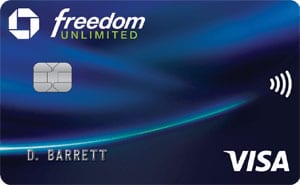
The Chase Freedom Unlimited® credit card earns 5% on eligible travel purchases through the online Chase Travel℠ portal, so it’s one of the better online shopping cards for frequent travelers.
Beyond travel, the 1.5% cash-back rate on most online purchases isn’t much to write home about. But Chase doubles your cash-back earnings in the first year, bumping your return on online spending to 3%.
- Sign-up Bonus: Earn an additional 1.5% cash back on everything you buy (on up to $20,000 spent in the first year) - worth up to $300 cash back!
- Earning Rewards: After the first year, earn unlimited 1.5% cash back on most eligible purchases. Exceptions include 5% cash back on travel purchased through Chase Travel℠ and 3% cash back on drugstore and dining purchases.
- Redeeming Rewards: Redeem with no minimums for bank account deposits, statement credits, gift cards, and noncash items like travel and general merchandise at the Chase Ultimate Rewards marketplace.
- Introductory APR: 0% intro APR on purchases and balance transfers for the first 15 months, then variable regular APR applies (currently 20.49% - 29.24%.
- Annual Fee: $0
Pros
- Higher-than-average sign-up bonus
- No annual fee
- 3% cash-back on eligible dining and drugstore purchases
- Longer-than-average 0% intro APR promotion on purchases and balance transfers
Cons
- No bonus categories or tiers for online purchases other than travel
- Mediocre base cash-back rate
Methodology: How We Select the Best Credit Cards for Online Shopping
We evaluated dozens of credit cards while building this list, weighing several key criteria along the way. The cards that made the final cut scored well on most or all of them.
Scope of Online Shopping Bonus Categories or Rewards Tiers
It really matters how broad the card’s online shopping category or tier is.
A category or tier that encompasses all online purchases is better than one limited to certain types of online purchases or online purchases with certain retailers only. This is why the Amex Blue Cash Everyday Card ranks higher than the Amazon Prime Rewards Visa Signature Card. The Amazon card has a higher return on Amazon purchases — 5% — but Blue Cash Everyday pays 3% cash back on all online purchases regardless of retailer, up to the first $6,000 spent each year.
Overall Return on Online Spending
This is the bottom-line return the card delivers on online spending.
It’s higher for cards that have special bonus categories or rewards tiers covering all online purchases, or at least those defined as “online” by the credit card issuer. For example, the Blue Cash Everyday Card from American Express earns 3% cash back on the first $6,000 in online retail purchases each year.
The online spending return is also relatively high for general-purpose cards with above-average flat-rate cash-back rates. We define “above-average” here as 2% cash back or higher. The Citi Double Cash Card is a good example of a 2% flat-rate card that works well for people who spend a lot online.
0% Intro APR Promotions
This is an important criteria because it can temporarily save you a lot of money on online purchases.
While you should avoid carrying a balance on your credit card, sometimes you have to make purchases you can’t afford to pay off in a single month. A 0% intro APR promotion helps you avoid interest on those purchases as long as you pay them off by the end of the promotional period.
Several cards on this list have long 0% intro APR promotional periods on purchases and balance transfers. Purchase promotions directly reduce or eliminate interest on purchases made with the card, while balance transfer promotions can reduce the cost of purchases made previously with another credit card.
Perks & Benefits for Online Shoppers
Some credit cards come with perks like memberships and discounts that can reduce the cost of buying stuff online or simplify the online shopping experience. A notable example is Amex’s Shoprunner benefit, which offers free two-day shipping and free returns with more than 100 participating retailers.
These perks’ value usually depends on how many online purchases you make or how much you spend on them over time. They can also be easier or more difficult to take advantage of, depending on how they’re set up. So we don’t weigh them as heavily as credit card rewards or introductory 0% APR promotions.
Card Fees
No one likes credit card fees, but sometimes, you have to spend money (like an annual fee) to make money (with credit card rewards). Though it’s rarely the deciding factor in whether to rank a card, we do prefer credit cards with low or no annual fees, and we consider them when ordering lists.
Online Shopping Credit Card FAQs
The world of online shopping credit cards is not as simple as it first appears. Cut through the confusion with these common questions and answers.
What Counts as Online Shopping?
It depends on the credit card issuer’s policy and how each retailer classifies transactions made online.
Before applying for an online shopping credit card, check to see how the issuer defines “online shopping.” For example, Amex requires online shopping transactions to be made online and coded as an Internet transaction. It excludes purchases ordered online but paid in a physical store, plus online purchases of travel, entertainment, and groceries.
Is It Better to Use a Retailer Credit Card or General-Purpose Credit Card When Shopping Online?
It depends on where you do most of your online shopping. If Amazon or another major retailer accounts for most of your digital purchases, then a retail credit card is fine. Otherwise, go with a general-purpose credit card that either has a high flat rewards rate or a special online shopping rewards category.
Can You Get an Online Shopping Credit Card With Bad Credit?
You can use just about any credit card to make online purchases, including a credit card meant for people with bad credit. But the best online shopping credit cards require good to excellent credit, meaning a minimum FICO score of 700 to 720. That’s the case for every card on this list, for better or worse.
Are Online Shopping Perks Worth the Annual Fee?
If their value is open-ended and you shop often enough to extract more each year than the annual fee, then yes.
For example, if you use your $139 Amazon Prime membership for free shipping and nothing else, you have to offset at least $139 in shipping charges per year. Unfortunately, that’s easier than it sounds.
Final Word
Each of these credit cards boasts above-average rewards and potentially valuable cardholder perks. Any of these Visa, Mastercard, or American Express products would be a fine addition to your online shopping arsenal.
Before you apply, consider your chosen card’s strengths and weaknesses against those of the other contenders and check that your credit score is strong enough to justify a formal credit card application. In a world where anyone with a credit card can buy just about anything online, credit card issuers tend to be choosy.
