

Capital One 360
Pros
 No minimum balance requirements
- No monthly maintenance fees
- IRAs and custodial accounts available
Cons
 No money market accounts
- Good but not great yield
- No 24/7 support
Capital One is a well-known financial institution that made its name in the credit card business. In fact, its most popular credit cards – Capital One Quicksilver Cash Rewards Credit Card and Capital One Venture Rewards Credit Card – routinely make our lists of the best cash back credit cards and best travel rewards credit cards, respectively.
Capital One 360, one of its major divisions, offers a related, if less sexy, suite of products: FDIC-insured online banking and personal lending services. If you’re not satisfied with the brick-and-mortar banking options in your area, then Capital One 360 should be on your radar.
Capital One 360’s standout product is the 360 Performance Savings Account, or Performance Savings for short. It boasts one of the best interest rates of any high-yield savings account, super low fees, and a slew of user-friendly features and capabilities. Read on to learn why it stands out from the competition.
Key Features of the Capital One 360 Performance Savings Account
The Capital One 360 performance Savings Account isn’t revolutionary by any means. But it has some notable features that set it apart from competing accounts at other popular online banks.
Account Yield
This account offers a variable yield. At 4.25% APY, it’s very competitive with other online savings products.
This yield applies to all eligible balances, regardless of relationship status.
Minimum Balances
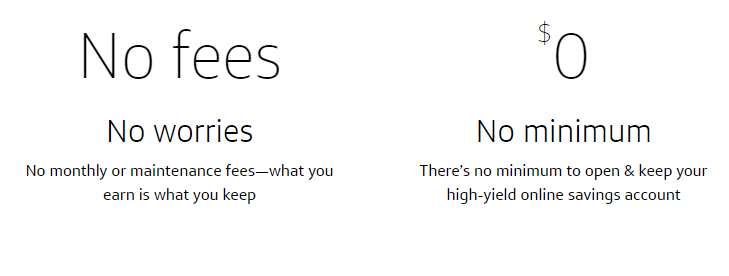
This account requires no minimum opening deposit and doesn’t have an ongoing balance requirement.
Monthly Maintenance Fees
360 Performance Savings does not charge monthly maintenance fees. You’ll never pay a fee to keep money on deposit here.
Multiple Accounts Under the Same Ownership
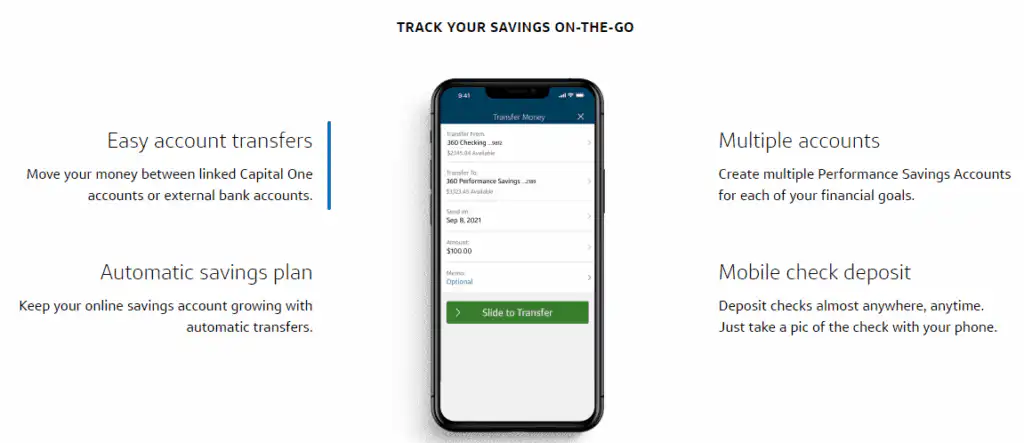
You can open multiple 360 Savings accounts at once, making it a lot easier to separate and manage goal-oriented stockpiles. The process for opening your second account (and beyond) is the same as for the first, minus the initial identity verification steps.
Link to Your Capital One 360 Checking Account
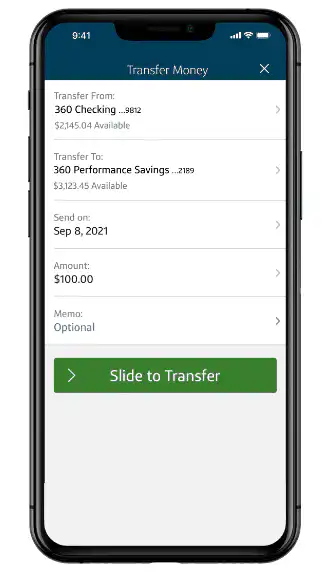
You can link your 360 Savings account with your 360 Checking account if you have one. This is convenient if you use Capital One 360 as your primary bank and need to raid your savings account on occasion to make big purchases — or, preferably, to top up your savings account whenever you get paid.
Transfers between your Capital One checking and savings accounts occur instantaneously, even outside regular business hours.

Kids’ Savings Account
Capital One 360 also offers Kids Savings accounts for youngsters under age 18. They’re basically the same as 360 Performance Savings accounts, except they can be configured as custodial accounts – a valuable tool for teaching the next generation how to spend and save wisely.
360 Performance Savings — IRA Options
You can structure your Performance Savings Account as a traditional or Roth IRA. When you do, your account earns tax-free interest — boosting your return over time thanks to the magic of compound interest.
There’s not much daylight between standard taxable and IRA savings accounts at Capital One. Yields are the same, the FDIC insurance limit is the same, and all the same digital features and capabilities apply.
Just be aware that if you haven’t yet hit the age threshold to begin taking required minimum distributions (RMDs), you can’t withdraw from your IRA savings account without triggering a tax penalty. This penalty depends on the type of account; if you have a traditional IRA, you’ll also need to pay income tax on withdrawals.
Savings Goals and Automatic Savings Transfers
Capital One makes it easy to organize and track your disparate savings goals without leaving the Capital One 360 ecosystem. Use the user-friendly system to designate individual goals, automatically set aside money on a weekly or monthly basis using the Automatic Savings tool, track your progress toward the goal, and celebrate when you’re done.
Mobile Check Deposit
Capital One has a handy mobile check deposit feature that facilitates check deposits anytime, anywhere — as long as you have your mobile phone on you. If you’re planning to save your entire deposit, you can deposit it directly into the savings account and save yourself the trouble of transferring the funds.
ATM Access
Capital One’s fee-free ATM network has about 40,000 machines, larger than many brick-and-mortar banks’ networks. Third-party ATMs may charge fees, however.
Customer Support
Capital One’s automated banking support hotline is available 24/7. If you need to talk to a human being, support agents are available 7 days a week from 8am to 11pm Eastern.
Advantages of Capital One 360 Performance Savings
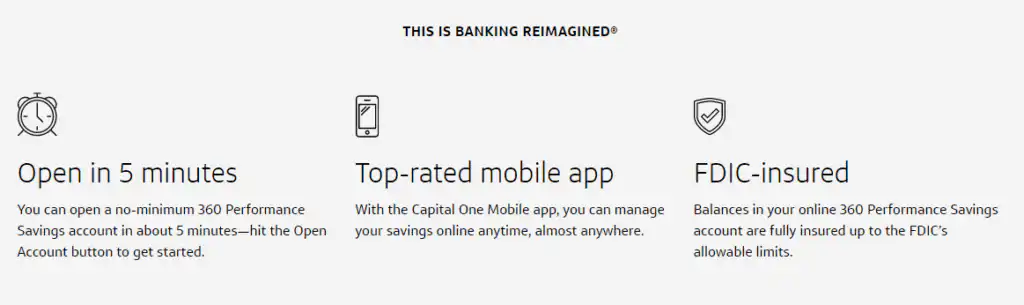
Capital One 360 Performance Savings has a lot going for it. Top advantages include no fees or minimums, the ability to open multiple goal-oriented accounts, and some handy automation features.
- No Opening or Ongoing Balance Requirements. 360 Performance Savings doesn’t have opening or ongoing balance requirements. You can open an account with virtually nothing, and you’re never required to maintain a balance to keep your account open and avoid fees.
- No Maintenance Fees. This account doesn’t charge a monthly maintenance fee — ever. In a world where brick-and-mortar banks routinely charge monthly fees on regular checking accounts, this is a big deal.
- Seamless Mobile Check Deposit. Given the sheer mobile-unfriendliness of many of Capital One 360’s smaller competitors, Capital One’s breezy mobile check deposit is a breath of fresh air. It’s easy to deposit paper checks on the go here.
- Easy Savings Automation and Transfers. 360 Performance Savings comes with some novel features that encourage and reward regular saving, including goal-setting and savings automation that pads your account every time you get paid. And because it’s so easy to link your Capital One checking and savings accounts, you never have to worry about funds getting lost in the shuffle.
- Custodial Accounts for Kids. Capital One’s Kids Savings account is a close cousin of 360 Performance Savings — the main difference being it’s a custodial account for parents and minor kids. There’s no better way to teach your kid the value of a dollar or convey the miracle of compound interest.
- Tax-Advantaged Savings IRAs. You can structure your Performance Savings account as a traditional or Roth IRA and reap the tax advantages thereof. Just mid the withdrawal restrictions.
- About 40,000 Fee-Free ATMs. All told, Capital One has about 40,000 ATMs in its nationwide network, all of which offer fee-free withdrawals, deposits, and balance checks. International ATMs may charge fees, however.
Disadvantages of Capital One 360 Performance Savings
- No Money Market Account. Capital One doesn’t have a money market account to complement its savings account. This is a downside if you want check-writing privileges or a debit card alongside a savings-like yield.
- Other Online Banks Have Better Yields. Though they’re subject to change, Capital One 360 Performance Savings doesn’t quite pay industry-leading interest rates. You’ll do better here than at most traditional banks though.
- No 24/7 Phone Support. Capital One 360 has a pretty robust customer care infrastructure that includes an impressive “knowledge database” of help topics and FAQs. However, many banking customers still like to talk to a live person about potential problems, and the bank is less steady on this front. Unlike some online competitors, which have 24-hour phone banks, 360’s call center is only open from 8am to 11pm Eastern. That’s not great news for night owls.
How Capital One 360 Performance Savings Stacks Up
Capital One 360 Performance Savings is a popular online savings account with a solid yield, virtually no fees, no minimums, and a host of other benefits.
Why would you need any other savings account?
Well, because some savings accounts are just as good — if not better. Let’s see how one popular competitor stacks up: the Ally Bank online savings account.
| Capital One 360 | Ally Bank | |
| Monthly Fees | $0 | $0 |
| Interest Rate (Yield) | 4.25% | 3.85% |
| 24/7 Support? | No | Yes |
| Minimum to Open | $0 | $0 |
Final Word
Capital One 360 is a full-service online bank that offers checking, savings, investment, and business products. It’s far from perfect — while it does place a clear emphasis on financial education and ease of use, it lacks many of the user-friendly features that older online banks, such as Ally Bank, have honed over the years.
But one Capital One 360 account really does stand out: 360 Performance Savings. If you’re in the market for a new high-yield savings account, you could do much worse. In fact, if you can open only one account with Capital One, there’s a strong argument to be made that Performance Savings should be it.

Editorial & Advertiser Disclosure: The editorial content on this website is not provided, commissioned, reviewed, approved, or otherwise endorsed by any advertiser. Opinions expressed are ours alone, not those of any advertiser. The offers that appear are from companies from which we may receive compensation. However, this compensation does not impact where and how these companies are mentioned on the site. We do not include all companies or all available offers in the marketplace.
Related: